


|
|
|
|
| |
|
|
| |
|
| Geoffrey Chaucer (c. 1343 – 25 October 1400), known as the Father of English literature, is widely considered the greatest English poet of the Middle Ages and was the first poet to have been buried in Poet's Corner of Westminster Abbey. Among his many works he is best loved today for The Canterbury Tales. |
|
|
| |
|
| |
|
About the School eBook Library eBooks
|
|
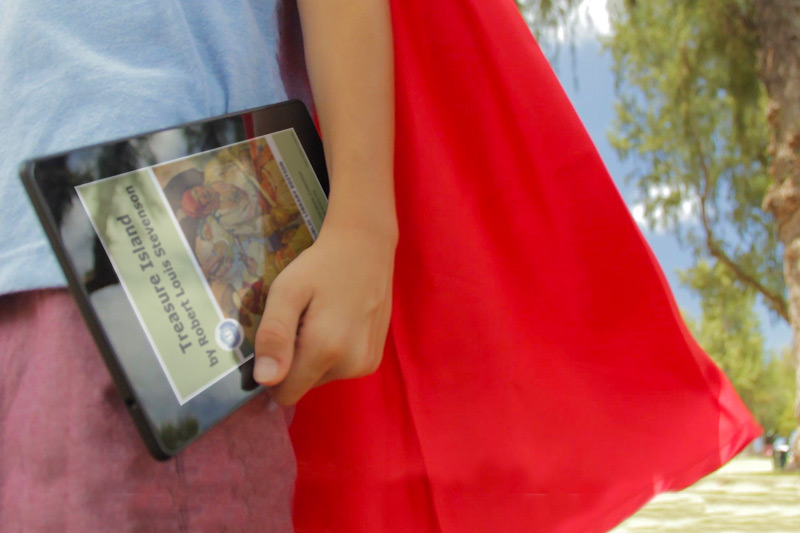
All of the eBooks are in PDF file format, and all Audio eBooks are in MP3 file format. These formats have been specially designed to be cross-platform compatible with all PCs, Laptops, PDAs, Kindle DX, Kindle 3 iPad/iPods, eReaders, or Smartphones.
|
| |
|
Individual Membership
|
|
Help support the School eBook Library by becoming a member. It is only $8.95 for an annual membership.
|
| |
|
Institutional/Group Membership
|
|
School eBook Library offers site license portal access for institutions and groups.
|
| |
|
Exceptions: There is never a charge for physically disabled users, special needs users, or disaster relief / emergency services. If you feel you, or someone you know, qualifies for a complimentary membership, please email us or use the Complimentary Membership Request Form.
|
|
|
|
|
|
School eBook Library
The School eBook Library Collection shelves more than 2,000,000+ PDF eBooks in 100+ languages. The School eBook Library contains 125 of the finest eBook and eDocument collections published on the Internet today. The mission of the School eBook Library's Acquisition Department is to add new eBooks 24/7 to our shelves.
If you are looking for the newest contemporary titles, check out our new Author's Community Collection.
|
|
School eBook Library: How-To Tutorials: Download eBooks to the iPad
World eBook Library series How-To-Tutorials. This is a step by step presentation on how to read eBooks to your iPad and download them to your iBooks
Touch Screen Makes Reading a Breeze. Thinner, smaller and lighter than most magazines, the Reader Touch Edition™ lets you access up to 350 (or more with memory expansion card slots) of your favorite books from anywhere. The intuitive 6" touchscreen display makes navigation a breeze, letting you turn pages with the swipe of a finger. An included stylus offers freehand highlighting and annotation. With support for multiple file formats including PDF and MP3, you can enjoy books from more places, including the Reader™ Store and one million titles from the School eBook Library.
|
|
Reviewing the new Kindle Fire, Kindle 2 & 3 for Use with School eBook Library Titles
With the introduction of the Amazon Kindle wireless ebook reader user have a new device for reading their favorite World eBook Library titles. All of the World eBook Library titles are available in a PDF format for direct use. Here's how to load them.
Download the School eBook Library ebook in the PDF Format. If you download the. Connect the Kindle reader to your computer using the USB cable supplied with the Kindle. The Kindle's memory and memory card will appear as a new drive attached to your computer. Copy the ebook file into the "documents" directory on the Kindle. Disconnect the USB cable and the new book should appear in the Kindle's directory. That's it!. It's that simple.
|
|
School eBook Library How-To Tutorials: Download MP3 Audio eBooks to Your PC
School eBook Library series How-To-Tutorials. This is a step by step presentation on how to download MP3 Audio eBooks to your PC
Thousands of audio eBooks that you can listen to online or download in MP3 format. Perfect for listening to on an iPod, iPhone, Kindle, or your portable audio player. Audio eBooks are divided into chapters for your browsing conveniently.
|
|
School eBook Library: How-To-Tutorials, Download eBooks to your PC
School eBook Library series How-To-Tutorials. This is a step by step presentation on how to download PDF eBooks to your PC.
Adobe Reader software is the global standard for electronic document sharing. It is the only PDF file viewer that can open and interact with all PDF documents. Use Adobe Reader to view, search, digitally sign, verify, print, and collaborate on Adobe PDF files.
Adobe® Reader is the ideal software for opening and using School eBook Library PDFs eBooks. You can use Reader to view, print, and manage PDFs. After opening a PDF in Reader, you have a variety of tools to help you find information quickly, such as bookmarking, text to speech, and post-it notes. Use the Reader multimedia tools to play video and music in a PDF.
|
|
     
Records: 1 - 9 of 82 - Pages:
|
|
|
|
